
2Mind for Chrome
Save the web
into your 2Mind collections.
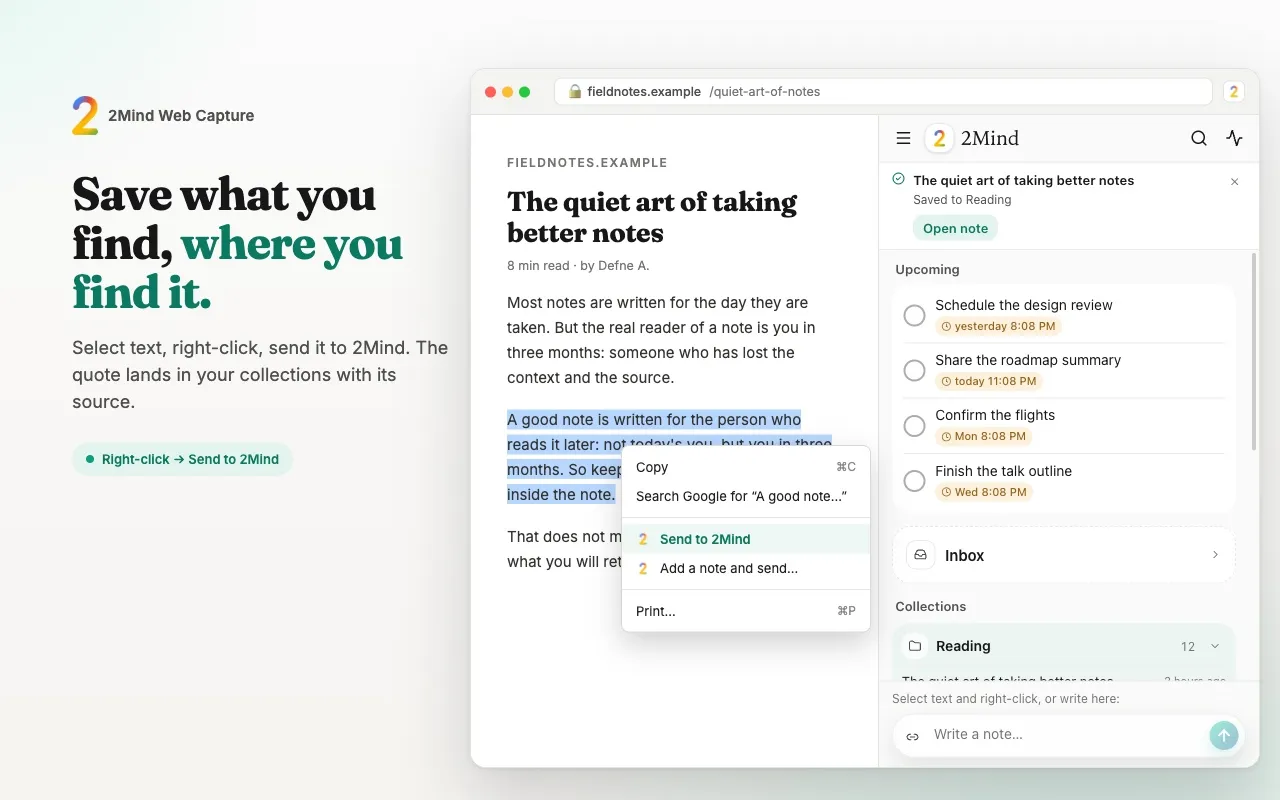
Select text on any page, right-click, and it lands in the collection you choose with its source attached. Read your notes in the side panel, search them, and pull text out of images without leaving the tab.
For Plus and Pro members. Sign in with the account you created in the 2Mind app; there is no sign-up or purchase inside the extension. See plans
What it does
Capture without leaving the page.
Everything you save goes into the same memory the apps use, with the page title and address attached so you always know where it came from.
Right-click to save
Select any text, right-click and choose 2Mind. It is filed into your default collection in one step, or you pick one first.
Add a note, save a link
Type a thought alongside the selection, or save just the page link. Alt+Shift+S saves the current selection from the keyboard.
Your library in the side panel
Browse collections, open a note with its source, copy it or move it to other collections, and search everything you have saved.
Text from images, on your device
Drop in a screenshot or a photo and the text is read inside the browser. The image never leaves your computer; only the text you keep is saved.
Getting started
Three steps, then it stays out of your way.
- 01
Install from the Chrome Web Store
Add the extension to Chrome and pin it to the toolbar. It works in Chrome 127 and newer.
- 02
Sign in with your 2Mind account
Use the Apple, Google or email sign-in you already use in the app. The extension checks your plan and opens for Plus and Pro members.
- 03
Select, right-click, saved
From then on, saving is a right-click. Open the side panel whenever you want to read, search or tidy up.
A closer look
The side panel, screen by screen.
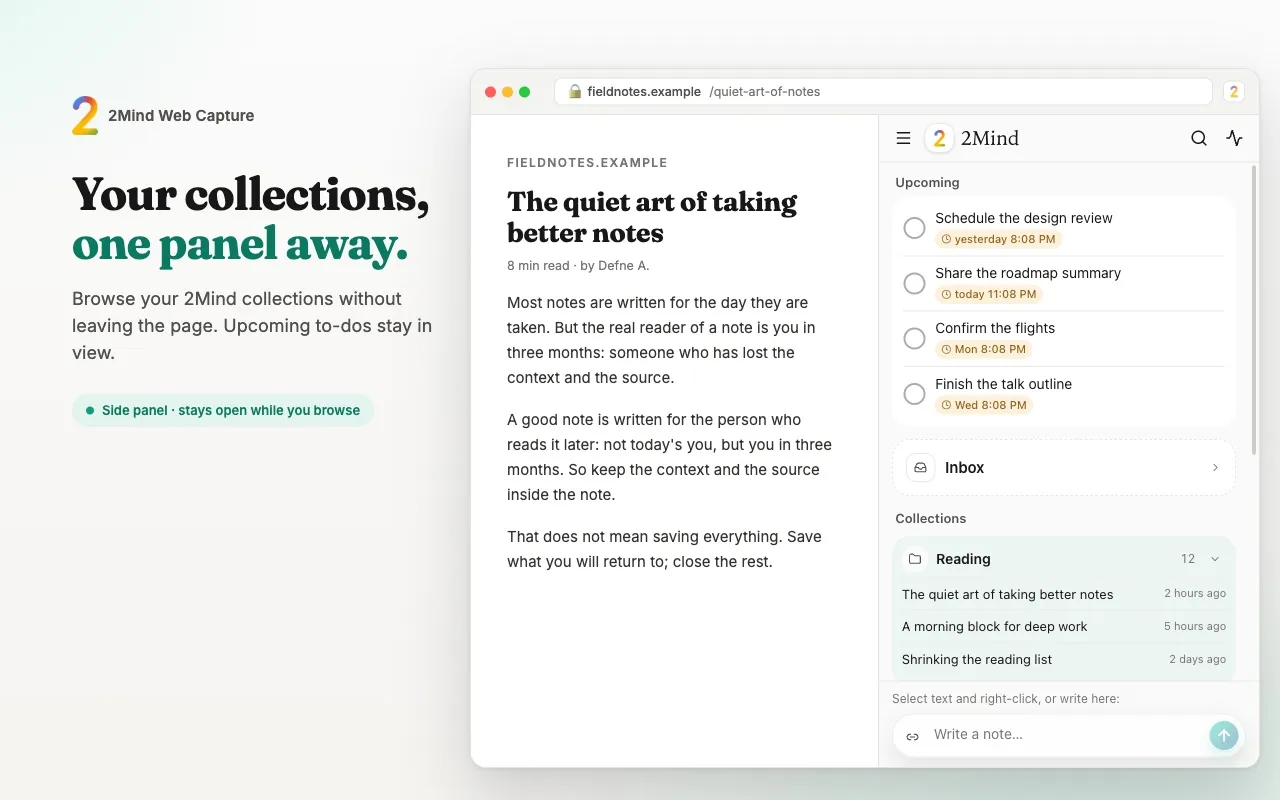
Home: recent notes and your collections at a glance. 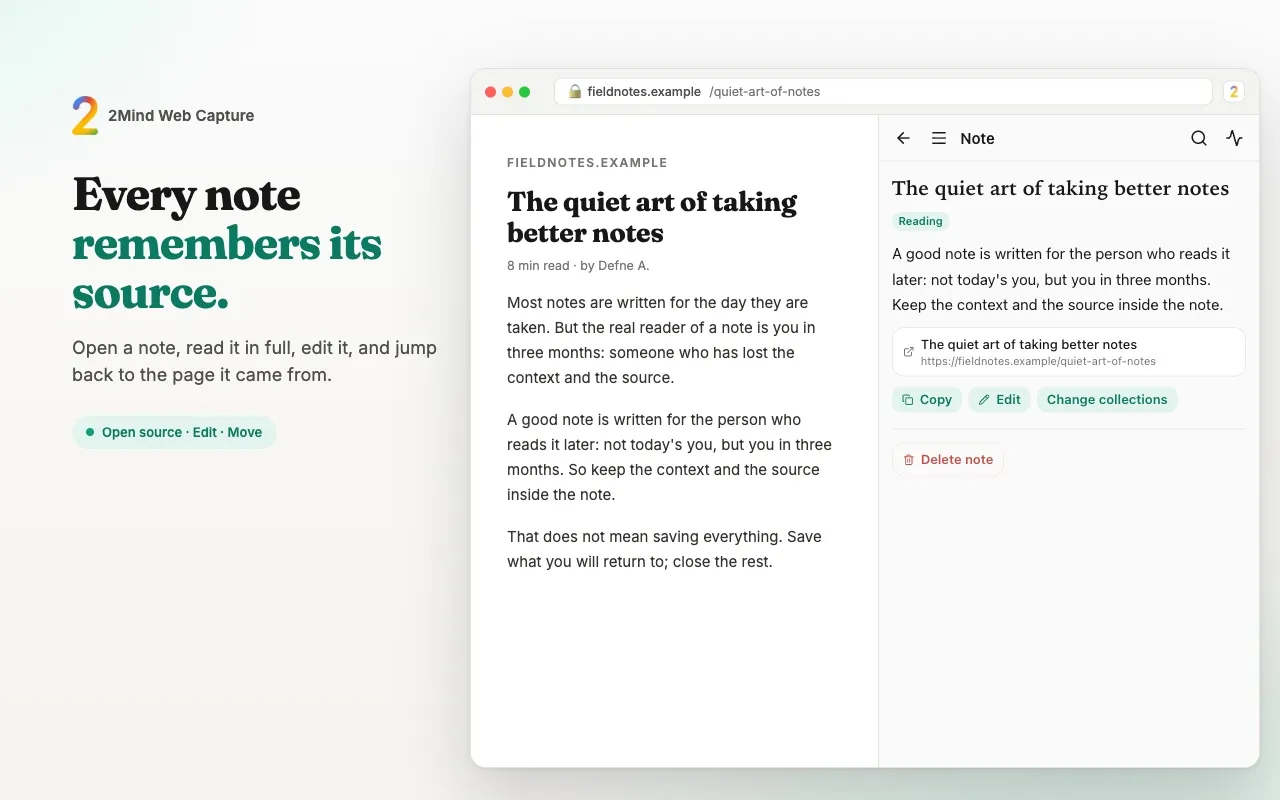
Note detail: the saved text, with its source as a card you can open. 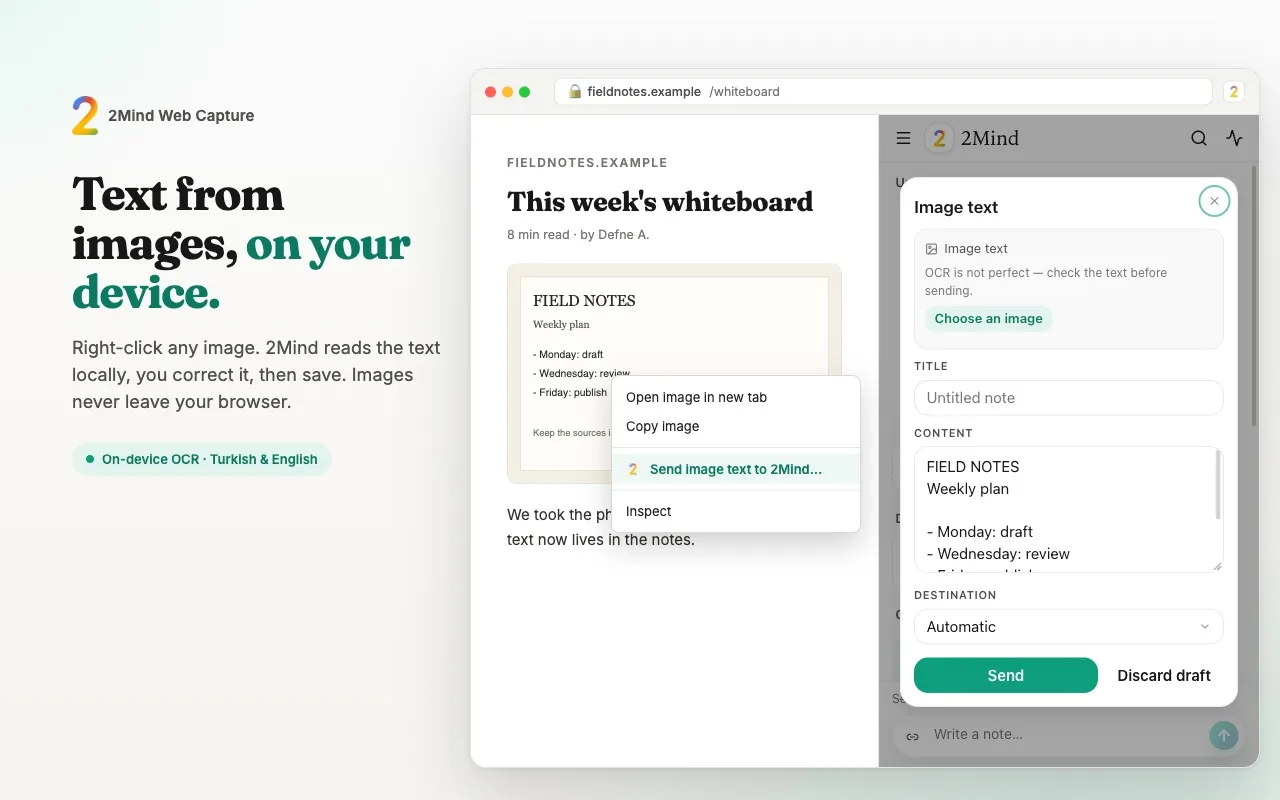
Images: text pulled out of a screenshot, ready to edit and save.
Privacy
It sees what you save. Nothing else.
The extension has no access to your browsing history and does not read pages in the background.
Only on your action
Page content is read only when you right-click a selection or use the shortcut. Nothing is collected while you browse.
Source, not surveillance
A saved note carries the page title and address so you can find your way back. That is the only page data stored.
Text recognition stays local
Reading text from images runs inside the extension. Images are not uploaded; only the text you choose to keep is sent to your account.
Same account, same rules
The extension talks only to 2Mind's servers and sign-in. Your data is covered by the same privacy policy as the apps.
Questions
Before you install
Can I sign up or subscribe in the extension?
No. Accounts and plans are managed in the 2Mind app for iPhone, Mac or Android. The extension signs in to an existing account and is available on the Plus and Pro plans.
What happens on the Free plan?
You can sign in, but the extension shows a screen pointing you to the app to upgrade. Nothing is saved until your plan includes the extension.
Which browsers are supported?
Chrome 127 or newer on desktop. Other Chromium browsers may work but are not tested or supported.
Which languages does it speak?
The extension follows your account language, then your browser language: Turkish, English, German, French, Spanish and Portuguese. Text recognition in images covers Turkish and English.
Does it work offline?
No. Saving needs a connection. If a save fails, your text stays in the panel so you can send it again.
Your memory, one right-click away.
Get 2Mind on your phone first and choose Plus or Pro. The extension will be ready for you the day it is approved.